Authors: LI-COR, Inc.
Correspondence: envsupport@licor.com
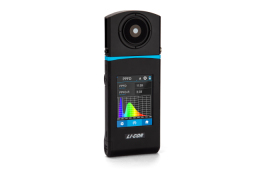
Instruments: LI-180
Keywords: ratio, spectra, bands
The LI-180 can compute ratios of spectral bands and record the results in the data file. In this tech tip, we provide basic instructions for accomplishing this.
-
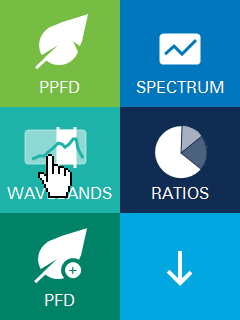
In the Home screen, select WAVEBANDS.
-
For this exercise, we'll create two custom bands.
-
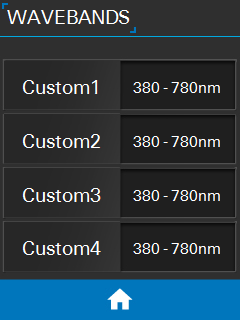
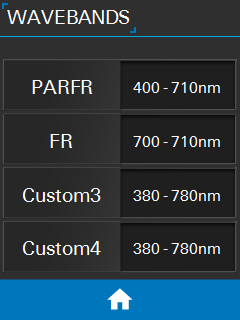
Edit the range for Custom1 so that it includes photosynthetically active radiation and the far-red (PAR+FR; 400 - 710 nm).
-
Edit the range for Custom2 so that it includes the far-red (FR; 700 - 710 nm).
-
Change the names to PARFR and FR or whatever you like. The name and range will be included in the data file.
-
Tap the Home button to exit.
-
-
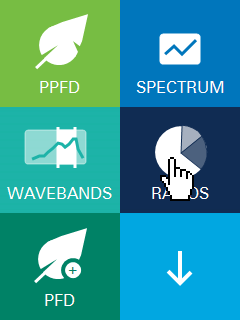
Next, select RATIOS.
You can name the ratio to identify the column in the data file; it won’t affect the measurement values.
-
Select wavebands to use for the ratio.
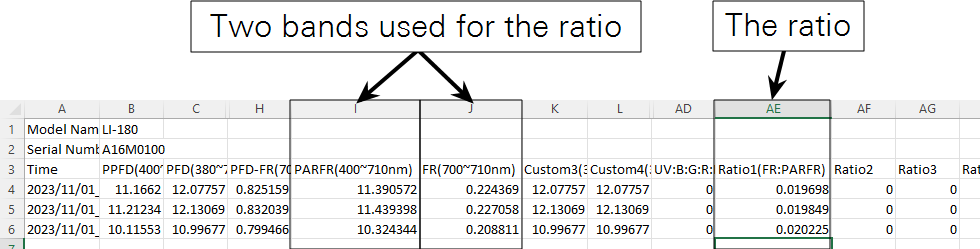
The options include five default wavebands, the four custom wavebands, and the final item called “clear.” The ratio is computed as FR / (FR + PAR).
-
Configure data logging.
-
From the home screen, tap the down arrow to view the second page.
-
Tap the LOGGING button and set the parameters.
-
Log the data by pressing the log button or configuring automatic logging.
-
-
Download the file to your computer (See Downloading data from the LI-180).
The ratio is stored in a column in the data file.