


Merging datasets
Data that has been recorded on LI-COR Cloud can be merged with another dataset. This may be useful if you change labels or scaling on a channel. Once you change labels or scaling on a sensor channel in the configuration, it creates a new channel. This causes the previous channels used on the dashboard to stop recording and reporting data. To merge these data sets and make them look seamless in the dashboard, you must add the new channel to the graph. Follow these steps:
-
Enter the Dashboard.
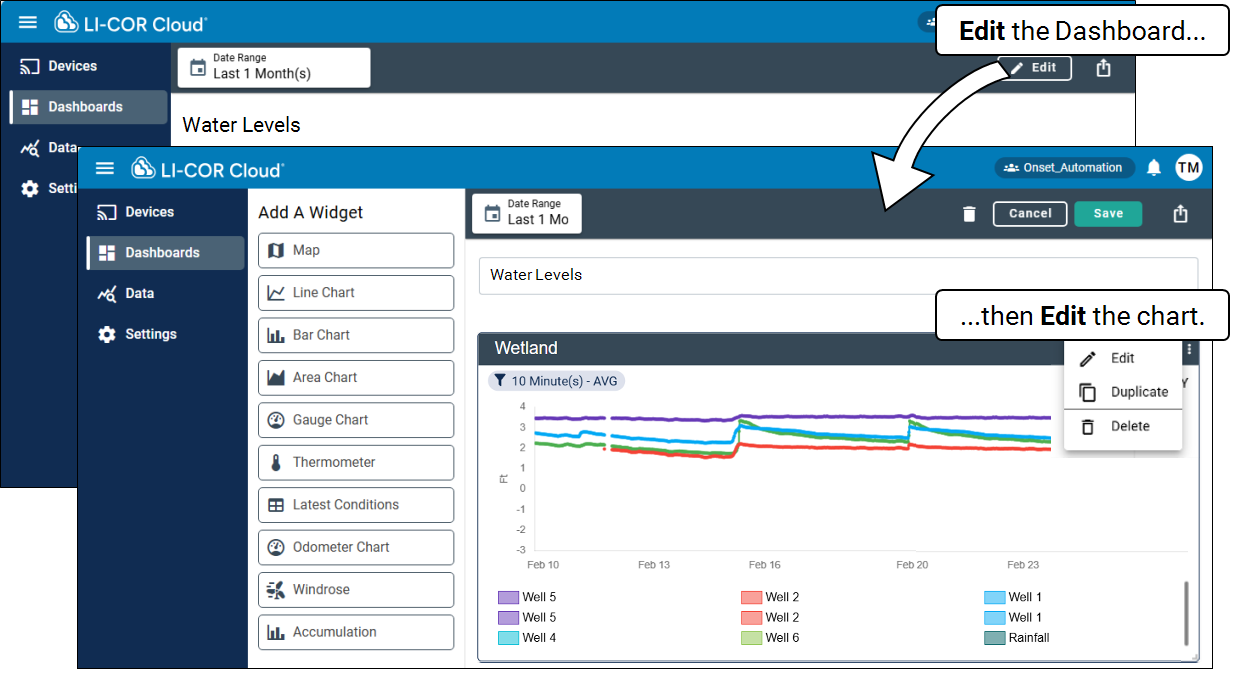
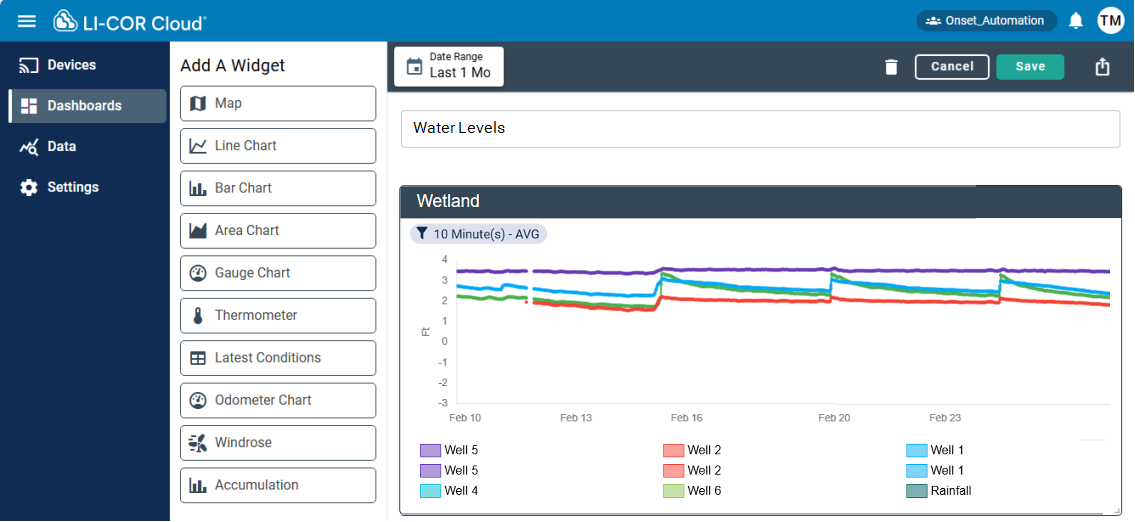
In this example, notice two labels each for Well 5, Well 2, and Well 1, representing the old and new channels for each well.
-
Select Edit to make Dashboards editable and then, on the graph, click the Edit button.
-
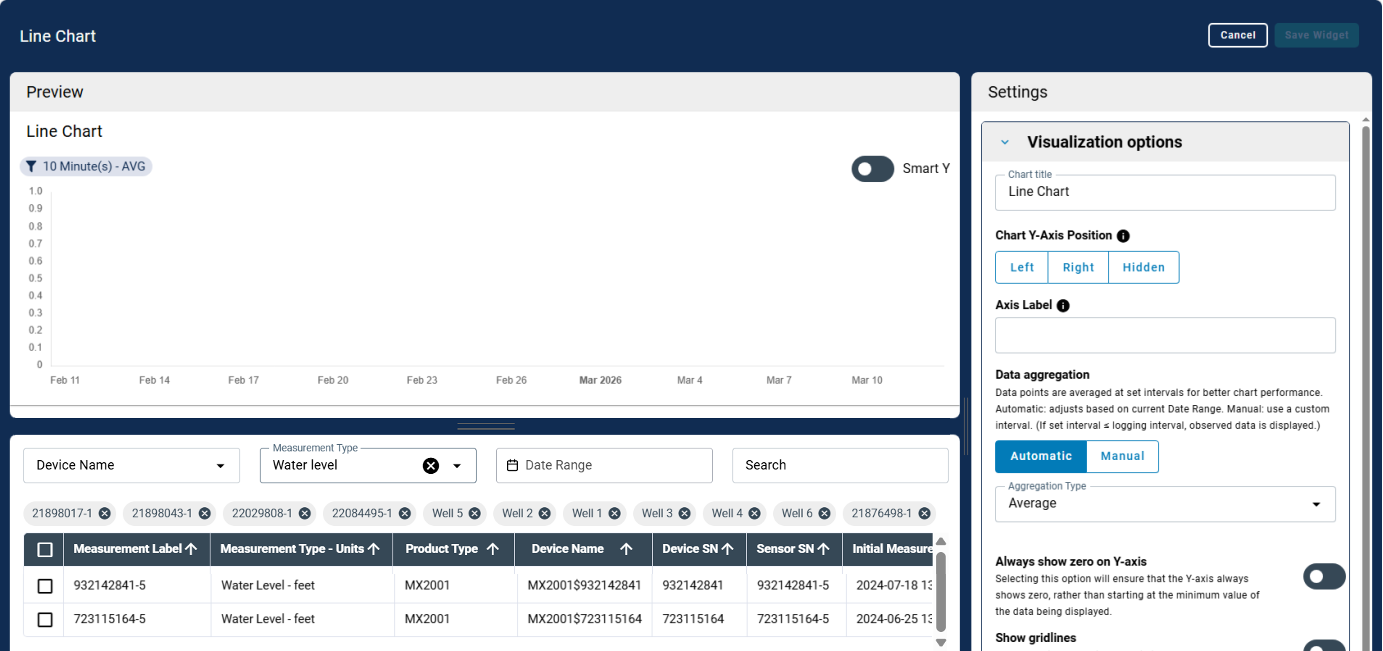
Locate your new channels.
Filtering by measurement type and active date range helps narrow it down.
-
Select the new channels, but do not remove the old ones.
-
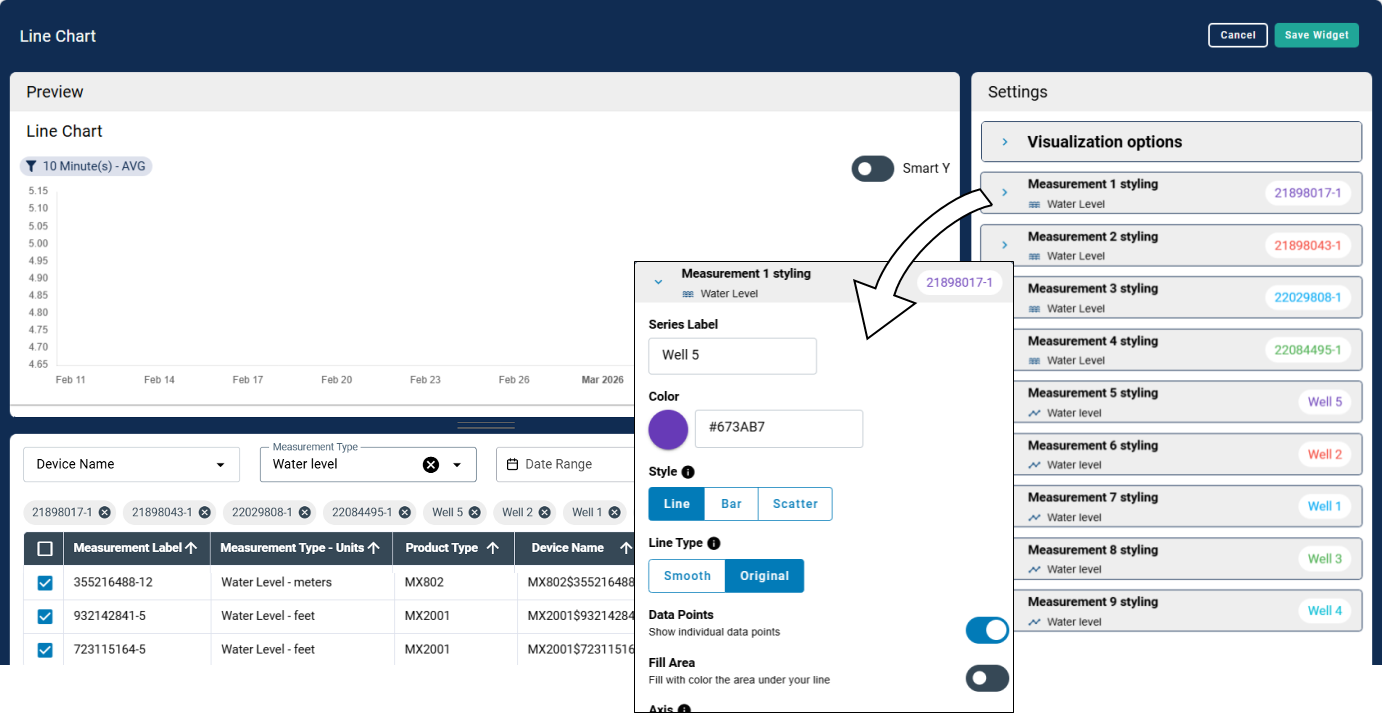
Once all new channels are added, adjust the channel settings to match the previous channel.
This includes label, color, style, and so on.
-
Once completed, the two datasets will be displayed as continuous.
-
Save the changes.